
Overview
Tight, controlled dynamics for mixes that need clean separation and space.
Noise gate
A gate plugin for tight, controlled dynamics: cut noise and bleed, and shape the silence between the notes.
Noise gate
A gate plugin for tight, controlled dynamics: cut noise and bleed, and shape the silence between the notes.
Tight, controlled dynamics for mixes that need clean separation and space.
Set where the gate opens and how hard it closes — the core of the shape.
Time the movement of the gate with a full envelope on the left bank.
Read the detector, link the stereo image and bring the level back with Makeup.
Comet Sound
A gate plugin for tight, controlled dynamics: cut noise and bleed, and shape the silence between the notes.
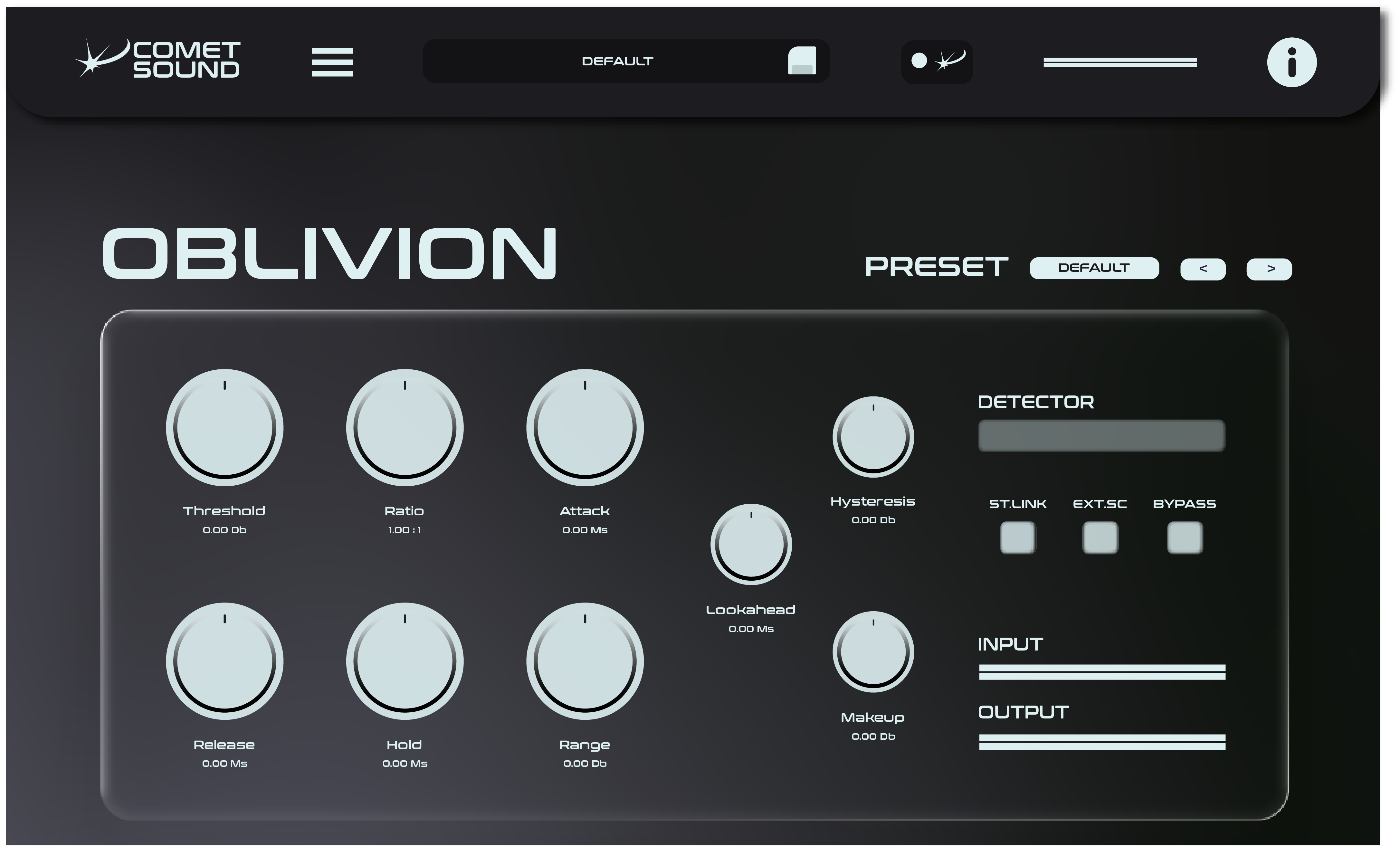
Tight, controlled dynamics for mixes that need clean separation and space.
Set where the gate opens and how hard it closes — the core of the shape.
Time the movement of the gate with a full envelope on the left bank.
Read the detector, link the stereo image and bring the level back with Makeup.
Gate plugin
Oblivion is a noise gate plugin for the unglamorous job that decides how professional a mix sounds: getting rid of what should not be there. Cut hiss, bleed and room noise, and shape the silence between the notes instead of leaving it to chance.
A tight gate does more than clean up. It gives drums their attack back, keeps a guitar amp quiet between phrases, and stops a vocal track from dragging the whole room into the mix — space you can hear the moment you switch it in.
Threshold and ratio set where the gate reacts and how hard it closes: a gentle hand on a vocal, an uncompromising one on a snare with too much hi-hat in it.
Attack, hold and release shape the movement of the gate, so notes are not clipped at the start and tails are not cut off in the middle of a decay.
A readable detector and stereo link keep both channels acting as one, and makeup gain restores the level when the cleaning is done. Oblivion is connected to Comet Sound AI for moves you preview before applying.
Oblivion installs in seconds and behaves itself: a signed installer on Windows, a signed and Apple-notarised package on macOS, VST3 and Audio Unit where your host expects them. No account to keep open while you work, no phoning home in the middle of a session.
Buy Oblivion once with a permanent licence and it stays in your studio, on up to three machines, with two updates included. If you would rather have the whole ecosystem, the Base and Pro plans unlock all six Comet Sound plugins — and Pro adds Comet Sound AI, the desktop app that turns what you describe into parameter moves you confirm.
Yes. VST3 on Windows, VST3 and Audio Unit on macOS, so it loads in Ableton Live, Logic Pro, FL Studio, Cubase, Studio One, Reaper and any other host.
Drums first — kick, snare and toms with too much bleed — then guitar amps, noisy vocal takes and any source recorded in a room that is louder than you would like.
The 7-day free trial comes with the Base and Pro plans. With a permanent licence the plugin asks for your key at first launch, then stays yours with two updates included.
No. The gate is fully manual and complete on its own. Comet Sound AI, part of the Pro plan, is there when you would rather describe the result than time the envelope by hand.
Comet Sound